

Managing attendance for a team of 20 employees may seem simple, but manual registers, spreadsheets, and traditional punch-in systems can create unnecessary work. Late entries, missed punches, incorrect working hours, and attendance errors can make salary calculations more difficult for small businesses.
A face attendance app for 20 employees can simplify this process by allowing employees to record attendance through facial recognition. Instead of maintaining daily registers, managers can access digital attendance records, monitor working hours, and prepare reports from a centralized dashboard.
For small offices, retail stores, clinics, agencies, and growing businesses, iLoggedIn offers a mobile-based employee attendance solution designed to make attendance management more convenient.
Why Do Small Businesses Need a Face Attendance App?
Small businesses often operate with limited HR resources. When one person manages attendance, leave records, and salary calculations, manual processes can consume valuable time.
A face recognition attendance app helps businesses create a more organized attendance process.
Here are some common challenges it can address:
- Manual attendance errors: Digital records reduce dependence on handwritten registers and manual data entry.
- Proxy attendance: Facial verification and anti-spoofing features can help reduce attempts to mark attendance dishonestly.
- Time-consuming reporting: Digital attendance reports make it easier to review employee attendance.
- Difficult attendance monitoring: Managers can access attendance information without checking physical registers.
- Payroll preparation: Organized attendance records can simplify the process of reviewing working days, absences, and leave.
For a team of 20 employees, these improvements can make daily workforce management more manageable without introducing an unnecessarily complicated system.
What Features Should You Look for in a Face Attendance App for 20 Employees?
Choosing the right employee attendance app involves more than checking whether it recognizes faces. Businesses should consider the features they actually need.
1. Accurate Face Recognition
A face recognition attendance system verifies an employee’s face against their registered profile before recording attendance. This provides a contactless alternative to conventional attendance registers and can reduce reliance on shared PINs or attendance cards.
Recognition performance depends on factors such as lighting, camera quality, and successful face registration.
2. Mobile Attendance Tracking
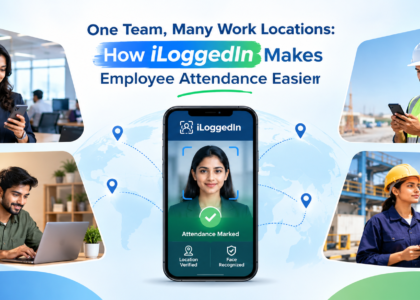
A mobile face attendance app allows employees to mark attendance using compatible smartphones. This can be useful for small businesses that want to avoid purchasing a dedicated biometric attendance machine.
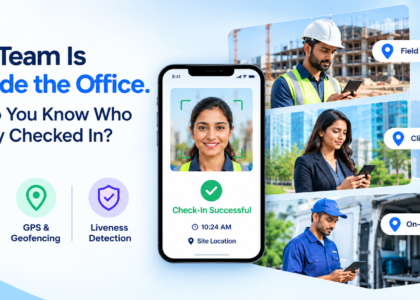
For office-based teams, mobile attendance provides a convenient way to record check-ins and check-outs. Businesses with field employees can also benefit from location-based attendance features where supported.
3. GPS and Geofencing
Location-based attendance helps businesses verify whether an employee is marking attendance within an authorized area.
GPS and geofencing features are particularly useful for companies with multiple work locations or employees who work outside the main office. Before choosing an app, check whether its location controls match your workplace requirements.
4. Attendance Reports and Payroll Support
Attendance records are useful only when managers can review them easily. Look for an employee attendance management app that provides daily, monthly, and customized reports.
These reports can help managers review attendance patterns, identify missing entries, and organize information before payroll processing. Payroll features and integrations can further reduce repetitive administrative work.
5. Leave and Employee Management
Even a 20-person company needs a reliable way to manage employee records, leave requests, and attendance history.
A suitable app should make it easier to maintain employee information, review leave applications, and access relevant reports from one place.
Why Is iLoggedIn Suitable for a Team of 20 Employees?
iLoggedIn provides mobile-based face recognition attendance and employee management features for businesses looking to simplify their daily attendance processes.
Its features include:
- Face recognition attendance: Record employee attendance using facial verification.
- Mobile and web dashboard access: Manage attendance through supported mobile devices and the employer dashboard.
- GPS and geofencing: Support location-based attendance monitoring.
- Anti-spoofing features: Add a layer of protection against fraudulent attendance attempts.
- Offline clocking: Support attendance recording when connectivity is unavailable, subject to the app’s operating conditions and synchronization process.
- Leave management: Organize employee leave requests and records.
- Attendance reporting: Review attendance information through digital reports.
- Payroll management: Access payroll-related tools to help organize employee salary records.
For businesses comparing a face attendance app for 20 employees, these features provide a practical starting point for evaluating whether iLoggedIn fits their workflow.
You can explore the available features on the iLoggedIn homepage.
How Much Does a Face Attendance App for 20 Employees Cost?
The cost depends on the number of employees, included features, setup requirements, and subscription terms.
For example, businesses should compare whether a plan includes face recognition, employee management, attendance reports, GPS tracking, leave management, and payroll-related functionality. They should also check whether setup fees or additional charges apply.
According to the iLoggedIn pricing page, the Starter plan supports up to 25 individual users, making it a relevant option for a business with 20 employees. Pricing is available through a quote request, so contact the provider for the current cost and applicable setup charges.
Comparing the total cost with the time spent on manual attendance management can help businesses make a more informed decision.
How to Choose the Right Attendance App for Your Business
Before implementing a new system, consider these practical steps:
- Identify your requirements: Decide whether you need office attendance, field attendance, multiple locations, or shift management.
- Check device compatibility: Confirm that employees have compatible smartphones or that your preferred attendance setup is supported.
- Review security and privacy: Understand how facial data and location information are collected, stored, accessed, and protected.
- Test the attendance process: Evaluate face recognition, check-in and check-out workflows, and report accuracy before a full rollout.
- Confirm pricing and support: Ask about setup costs, user limits, onboarding assistance, and ongoing support.
Taking these steps can help you select a system that meets your current needs and supports future business growth.
Frequently Asked Questions
What is the best face attendance app for 20 employees?
The best option depends on your budget, attendance requirements, device compatibility, and reporting needs. iLoggedIn is one option to consider because its Starter plan supports up to 25 users and includes face recognition and employee management features.
Can employees mark attendance using their mobile phones?
Yes. iLoggedIn offers mobile-based attendance tracking on supported devices, allowing businesses to manage attendance without relying exclusively on traditional attendance registers.
Does a face attendance app help with payroll?
It can simplify payroll preparation by organizing attendance records and providing reports. Businesses should verify which salary calculations, payroll functions, and integrations are included in their chosen plan.
Is a face attendance app suitable for a small business?
Yes. Small businesses can use digital attendance systems to reduce manual recordkeeping, improve attendance visibility, and make employee management more organized.
Simplify Employee Attendance with iLoggedIn
Managing attendance for 20 employees does not need to involve lengthy paperwork or complicated spreadsheets. A suitable face recognition attendance app can help businesses record attendance, review reports, manage leave, and organize workforce information more efficiently.
Explore iLoggedIn to see how its face attendance and employee management features can support your business.
Visit iLoggedIn or request a pricing quote to find the right solution for your team.